Why There Is No Print-at-Home South Dakota Permit
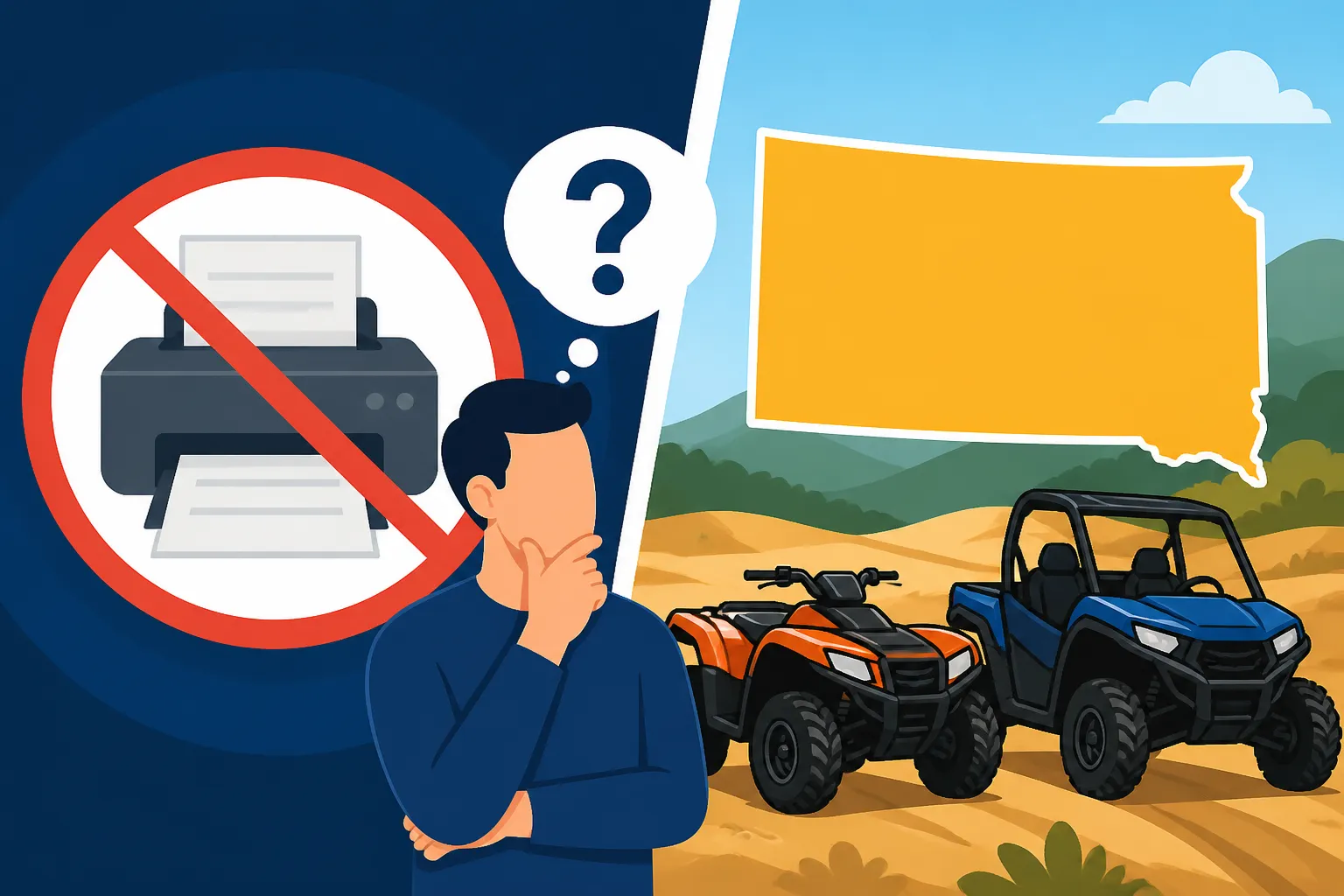
South Dakota’s motorized trail permit is issued as a physical decal, so a receipt or page printed at home is not a substitute. That can catch riders who buy online shortly before a trip. Here’s what the decal does, how to plan for delivery, where to put it, and what to check if it hasn’t arrived.
Why South Dakota uses a physical permit decal
A print-at-home permit would be a document: a page, pass, or image that a rider could show when asked. South Dakota’s motorized trail permit is instead a decal intended to be attached to the machine. The practical distinction is important: proof that you paid for a permit is not necessarily the permit that must be displayed.
The decal gives a rider a visible way to show that a particular machine has a permit. That makes it easier to check while the machine is on a route, without relying on a rider’s phone, a paper document that could be misplaced, or a record that an officer would have to look up. It also ties the permit to the machine rather than to a passenger or driver. The working rule is one permit per machine, not one per rider.
That does not mean the decal is a substitute for every other requirement. A trail permit does not automatically make an ATV road-legal, authorize access to private land, or allow riding on a route that is closed. It is one part of being ready to ride where that permit is required. For a broader overview of how the permit fits into a trip, see South Dakota Trail Permits Explained.
The state’s permit setup is best understood as a display system, not as a downloadable ticket. If you purchase through a channel that sends the permit by mail, allow time for the physical item to arrive. A confirmation email or payment receipt can help document a purchase, but it does not turn into a printable decal. Nor should a rider assume that a phone screenshot will satisfy a requirement to display the decal on the machine.
There is a useful difference between a permit being available for purchase online and a permit being printable at home. An online transaction can start the process, while the actual permit still comes as a physical decal. If a provider offers an online option, check what that option delivers, how it is delivered, and whether you must wait for the decal before riding. The details can vary by sales channel, so confirm them with the official permit source or the seller.
| What you have | What it proves or does | Is it the displayed decal? |
|---|---|---|
| Purchase confirmation | Records that you placed or completed an order | No |
| Email or online account record | May help you verify an order or contact the seller | No |
| Printed receipt | Shows transaction information | No |
| Permit decal | The physical permit intended to be attached to the machine | Yes |
| Another machine’s decal | Applies to the machine bearing that decal | No |
The table is a planning aid, not a substitute for checking current instructions. If your decal is delayed, lost, damaged, or sent to the wrong address, contact the permit seller or responsible agency and ask what to do before you ride. Do not assume that printing your receipt, displaying an order number, or moving a decal from another vehicle is an approved workaround.
What the permit is for, and what it does not replace
A motorized trail permit is associated with riding in places where the permit is required, including designated motorized trails. It is not a universal pass to every public place in South Dakota. A trail’s open status, permitted vehicle type, width limit, seasonal dates, and local restrictions still matter. A decal cannot make a closed route open or grant access where machines are not allowed.
It is also important to distinguish a trail permit from road-use requirements. A machine may need a plate or other legal authorization for a road, while a trail may have its own permit requirement. A road-legal plate does not necessarily replace a motorized trail permit. Conversely, having a trail decal does not automatically make an unplated machine legal for every public road. See Why a Plate Does Not Replace a Trail Permit and Why a Road Needs a Plate or a Permit when planning a route that includes both roads and trails.
The answer can depend on where you are riding and what kind of route it is. A public road, a designated motorized trail, a private ranch road, and a route inside a managed riding area are not interchangeable categories. Before leaving, check the rules for the specific area and route, not just the general rules for owning or operating an ATV. The relevant details are covered in South Dakota Rules for Riding Federal Land and [South Dakota Rules for Riding Private Property].
A permit is also not a safety certificate or a license for the person operating the machine. Riders still need to follow the rules that apply to the vehicle, location, age, and activity. For example, a trail permit does not resolve whether a route allows a particular machine width, whether a child meets the applicable riding rules, or whether an organized event needs separate authorization. Check the rules for your planned activity instead of treating the decal as a general approval.
Out-of-state visitors should not assume their home registration settles the South Dakota trail-permit question. Reciprocity and permit rules are specific: a plate may matter for certain road use, but it does not automatically stand in for a permit required on a trail. Review Does South Dakota Honor Out-of-State Registration? and Riding South Dakota With an Out-of-State Plate if you are bringing a machine from another state.
The practical takeaway is to plan for two separate checks:
- Is the machine authorized for the route? Confirm the route is open and that the machine meets its access rules.
- Does the machine have the required permit displayed? If a permit is required, have the physical decal attached in the approved place before you ride.
Doing both checks avoids a common mix-up: buying a permit and assuming that purchase alone settles every access or vehicle requirement.
How to get the decal before your ride
The safest approach is to treat permit delivery as part of trip preparation, not as something to sort out at the trailhead. If you buy through an online channel that mails the decal, delivery takes time. The arrival period can vary, and a purchase made close to departure may leave you with confirmation but no decal in hand. The listed information for mail delivery advises allowing up to two weeks, so check current delivery guidance and order with room to spare. See How Long a Black Hills Permit Takes to Arrive.
Use this process to reduce last-minute problems:
- Identify the riding area and routes. Confirm whether your planned ride includes trails that require a motorized trail permit. Do not infer the rule from the route’s name or from a nearby road.
- Check which permit applies to your machine and trip. Permit options may differ according to the type and duration of use. Read the current official instructions rather than relying on an old receipt, a previous trip, or a friend’s permit.
- Choose a purchase method that leaves time for delivery. If you order online and the decal is mailed, count backward from your departure and build in a buffer. For current purchase options, see Where to Buy a Black Hills Trail Permit.
- Save the transaction details. Keep the confirmation and any order number until the decal arrives. Those records are useful if you need to ask about a delayed or incorrect shipment.
- Inspect the decal when it arrives. Make sure you received the correct permit and that it is intact. Read the supplied placement instructions before removing its backing.
- Attach it before heading out. Put it on the machine in the location specified for that type of vehicle. Don’t wait until you are at the trail entrance to discover that you have nowhere suitable to place it.
If the trip is soon, check whether an authorized in-person seller or office can provide the physical decal in time. Buying in person may be more practical than ordering by mail, but locations, stock, operating hours, and eligible permit types can change. Verify those details directly before making a detour. Buying a Permit at a Black Hills Forest Office and Buying a Permit at a Rapid City Visitor Center discuss common purchase routes.
For an online order, confirm the shipping address carefully. If you are staying in a hotel, campground, rental cabin, or other temporary lodging, do not assume the seller can redirect the package or that the property will hold it. A mailing address that you can access before departure is more reliable. If your plans change after ordering, contact the seller rather than assuming that the permit can be transferred, replaced, or printed.
A permit ordered for one machine should not be treated as a group pass. If several ATVs or UTVs are traveling together, check the requirements for each machine and make sure each has its own required decal. One rider carrying several receipts does not display a permit on machines that lack one. The same point applies to a borrowed or rented machine: ask who is responsible for the permit and check that the required decal is actually present. See One Permit Per Machine, Not Per Rider and [South Dakota Rules for Riding a Rented Machine].
Where to place the decal and what to do if it is missing
The decal needs to be attached as directed, in a place where it can remain on the machine and be seen. Placement instructions can differ by vehicle configuration. The list of common placement topics includes wheel panels, forks, and the driver-side area of a windscreen. Follow the instructions that come with the permit rather than choosing a spot based only on convenience. For more detail, see Black Hills Trail Permit Decal Placement.
Before applying it, clean and dry the area as instructed. Avoid placing the decal on a surface that is likely to rub against a tire, be removed with a panel, or get covered by mud or accessories. Do not put it somewhere that makes the machine harder to inspect. If you are uncertain which surface is acceptable on your specific ATV or UTV, ask the permit seller or agency before applying it; once a decal is stuck down, moving it may damage it.
Do not apply a decal to a different machine just because the original machine is unavailable. A permit tied to one machine is not a transferable group pass. If you change machines after buying the permit, ask the seller or responsible agency how to handle the change. Avoid cutting, copying, laminating, or otherwise altering the decal unless the instructions specifically allow it.
If the decal has not arrived, use this checklist:
- Check the order confirmation for the delivery address and any tracking information.
- Look for a delivery notice or ask anyone at the delivery address whether the mail was received.
- Contact the seller or issuing office with the order details and explain when your trip is scheduled.
- Ask whether an in-person purchase is available and whether it would meet your needs.
- Confirm whether you must wait for the decal before riding the route.
- If the decal is lost or damaged, ask about an official replacement process.
A confirmation number is worth keeping because it helps a seller locate an order. It is not a substitute for permission to ride without the decal. Until the right official source confirms that an alternative is allowed, plan on needing the physical permit displayed as instructed. This is especially important if the ride involves a long drive to a trailhead: arriving with the wrong proof can leave you unable to ride the routes you planned.
If you already have a decal but cannot tell whether it is current or valid for your machine, verify that before departure. A decal left on a used ATV, a permit from a prior season, or a seller’s assurance that “it should be fine” may not answer the question. For the permit’s expiry details, see When a Black Hills Trail Permit Expires. If you are buying a used machine, also check whether the seller’s documents and the machine’s permit situation are separate matters; a sale does not automatically settle every registration or trail-access question.
Plan for the permit as part of route preparation
A decal is a small item, but the permit process affects when you can ride and where. Add it to the same preparation list as checking machine width, fuel range, trail status, weather, and loading gear. A rider who has confirmed only that a trail is open may still be missing a required permit. A rider who has purchased a permit may still need to check whether the machine is allowed on the route.
For a trip that mixes roads and trails, mark the different route types before you leave. Identify which sections are public roads, designated motorized trails, or other managed areas, and check the rules for each. The fact that one section allows a plated machine does not mean every trail does; the fact that a trail permit is present does not make every connecting road available. Do You Need a Permit on a Black Hills Road? and Do You Need a Permit on a Black Hills Trail? address those distinctions.
Build a buffer into your purchase timing. If the permit must arrive by mail, do not set your plan around the shortest possible delivery time. A small delay can make the difference between arriving ready to ride and having to change plans. If you are making a last-minute trip, call an official seller or office to confirm whether you can buy the appropriate decal in person. Check current opening hours and availability, rather than relying on a web page or trip report that may be out of date.
For a group, assign one person to verify that each machine is prepared. That check should include the decal itself, its placement, the machine’s eligibility for the planned route, and any separate road-use requirements. Do not assume the group’s lead rider can carry one permit for everyone, or that a passenger’s paperwork covers the driver’s machine.
Keep the decal on the machine for the period and use specified by the permit instructions. If you sell the machine, trade it, or move the permit to another vehicle, ask what the rules allow before taking action. A decal attached to a vehicle is not a general credential that can simply follow the rider. The buyer should verify what is included in a sale and should not rely on a seller’s leftover permit as proof that the buyer’s own requirements are satisfied. See Selling a Machine With the Permit Decal Stuck On.
Finally, use official sources for changes to purchase methods, placement requirements, eligibility, and delivery. Permit details are practical rules that can change, and an old article, forum post, or screenshot may describe a process that no longer applies. The core planning point remains simple: an online purchase may be convenient, but it does not make the permit printable. Allow time to receive the decal, attach it correctly, and confirm that it applies to the route and machine you plan to use.
Frequently Asked Questions
Can I print my South Dakota permit confirmation and use that instead?
No. A purchase confirmation or printed receipt documents the transaction; it is not the physical decal intended to be displayed on the machine. If the decal is missing, contact the seller or issuing office before riding.
Can I show a digital copy of the decal on my phone?
Do not assume a phone image is an accepted replacement for the physical decal. Follow the permit’s current display instructions and ask the official source what to do if your decal is delayed, lost, or damaged.
Does an out-of-state plate replace the trail permit?
Not necessarily. Road authorization and trail-permit requirements are separate questions. Check the rules for your machine and the specific route before riding.
Does one decal cover every machine in a group?
No. The permit is associated with the machine, not the group or rider. Check the current requirements for each ATV or UTV.
Disclaimer
This article is for general informational purposes only and does not constitute professional advice. Laws, prices and regulations vary by location and change over time. Consult a qualified professional for guidance on your specific situation.